Short answer: A contractor website usually isn't getting calls because of fixable problems: a phone number that isn't tap-to-call, slow mobile pages, no dedicated service pages, a weak Google Business Profile or missing trust signals. Fix those first. If the site fails on phones, lacks service pages and is hard to edit, a rebuild is usually cheaper.
Key takeaways
- Run a five-minute phone self-check. Every "no" is a lost call.
- Tap-to-call and one clear call to action are the cheapest, fastest fixes.
- Map-pack visibility depends on a complete Google Business Profile.
- If four or five rebuild warning signs apply, rebuild instead of patching.
- After its rebuild, DFW HVAC company 1st Class Heat & Air reported a 300% increase in leads.
Your trucks are ready, your techs are good, and your website is live. But the phone isn't ringing from it. If you have a contractor website not getting calls, you're paying for something that looks like marketing but works like a brochure nobody picks up.
The good news is that the cause is usually one of a short list of problems, and most of them can be fixed without starting over. Below are the nine we see most often on HVAC, plumbing, electrical and roofing sites, what to do about each one, and a simple check for deciding whether to fix or rebuild. If you run an HVAC company and your HVAC website is not generating leads, every point here applies to you.
How Can You Tell Why Your Website Isn't Getting Calls?
Run a five-minute self-check on your phone, acting like a homeowner who needs help now. Pull out your phone and act like a homeowner with a broken AC:
- Search Google for your main service plus your city, like "AC repair Plano." Do you show up in the map results or on page one?
- Open your site. Does it load fast, or do you wait?
- Without scrolling, can you see your phone number and a button to book or call?
- Tap the phone number. Does it dial?
- Find the page for the exact service you searched. Is there one?
- Can you see reviews, photos of your team, or your license number?
- Fill out your own contact form. Does it send, and does anyone get it?
Every "no" on that list is a lost call. Now here's how to fix each one.
Why Isn't Your Contractor Website Getting Calls? 9 Causes and Fixes
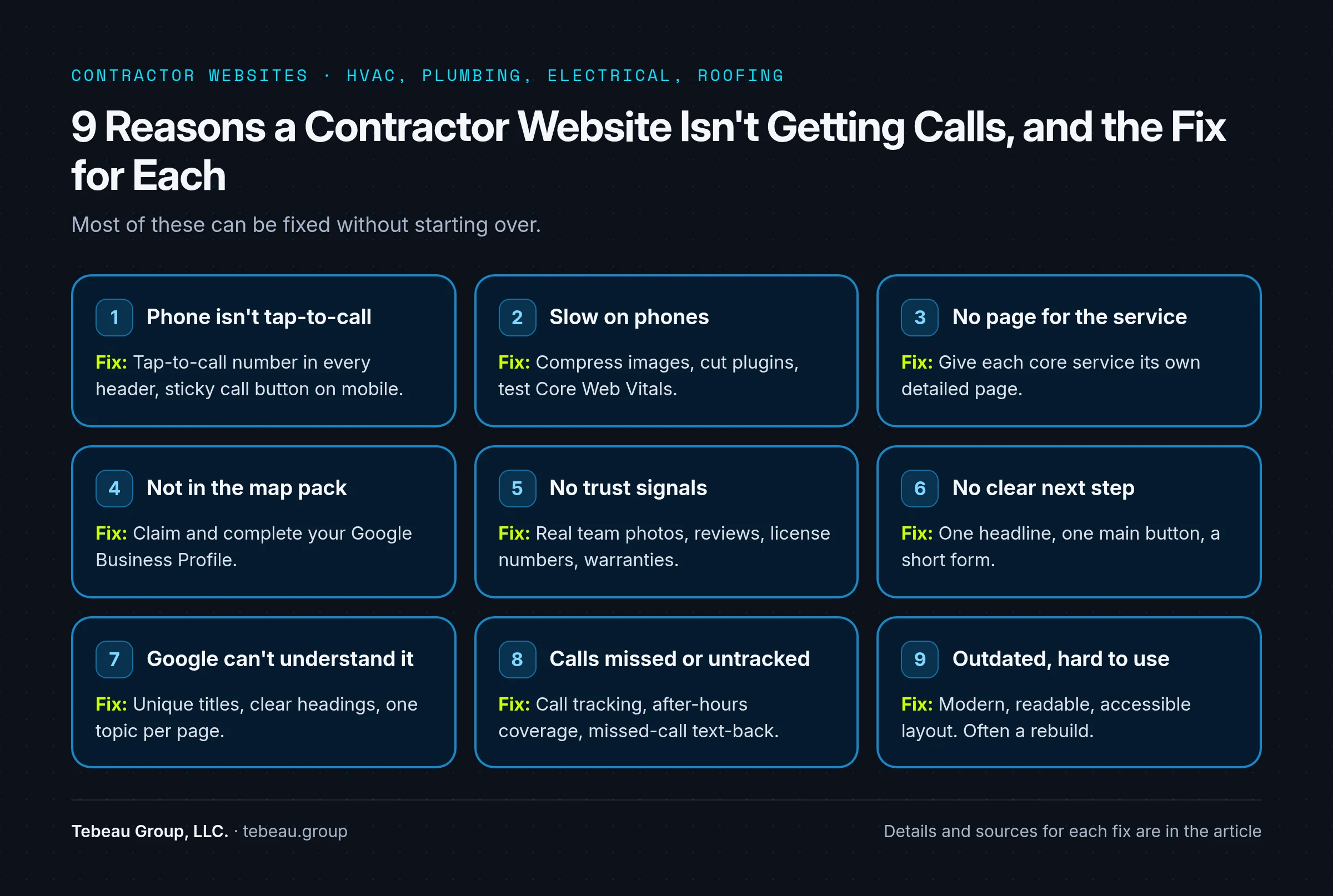
The nine most common causes are: no tap-to-call number, a slow mobile site, missing service pages, no map-pack presence, weak trust signals, no clear next step, pages Google can't understand, unanswered or untracked calls, and an outdated design.
1. The phone number isn't tap-to-call
Cause: The number is an image, buried in the footer, or linked to a contact page instead of the dialer.
Fix: Put a tap-to-call number in the header of every page, and a sticky call button on mobile. This is the cheapest fix on the list, and often the one that pays back fastest.
2. The site is slow on phones
Cause: Huge images, heavy themes and too many plugins. Homeowners in a hurry won't wait.
Fix: Compress images, cut unused plugins and test your pages against Google's Core Web Vitals. If the theme itself is the problem, that's a sign a rebuild may be cheaper than patching.
3. There's no page for the service people search
Cause: One "Services" page lists AC repair, furnace installs, water heaters and duct cleaning in a single paragraph. Google has nothing specific to rank.
Fix: Give each core service its own page with real detail: what you do, the problems it solves, your service area, pricing guidance if you share it, and a call button.
4. You're not in the map pack
Cause: An unclaimed, incomplete or inconsistent Google Business Profile. For many local searches, the map results show up before the regular website results.
Fix: Claim and complete your profile, choose accurate categories, add your service areas and post real photos. Google's own tips to improve your local ranking explain that relevance, distance and prominence drive local results.
5. Nothing on the page builds trust
Cause: Stock photos, no reviews and no proof that you're licensed, insured and local.
Fix: Show real team and truck photos, recent reviews, license numbers, warranties and service-area cities. Homeowners are letting you into their house. Give them a reason to pick you.
6. There's no clear next step
Cause: The top of the page is a slogan and a slider. The form asks for 12 fields.
Fix: One headline that says what you do and where, one primary button ("Call Now" or "Book Service"), and a form with only the fields you actually need.
7. Google can't understand the site
Cause: Duplicate page titles, missing descriptions, pages blocked from indexing, or every page targeting the same phrase.
Fix: Work through Google's SEO Starter Guide: unique titles, clear headings, one topic per page and clean internal links. Our SEO and AI search optimization work starts with exactly this kind of technical cleanup.
8. Calls come in but nobody answers or tracks them
Cause: Sometimes the website does work. The calls go to voicemail at 7 p.m., or nobody knows which calls came from the site.
Fix: Add call tracking so you can see which pages ring the phone, and set up after-hours coverage or a missed-call text-back. Our lead generation optimization service covers this end to end.
9. The site is outdated or hard to use
Cause: Built years ago, not designed for phones, hard to read and hard to navigate.
Fix: Modern layout, readable text, strong contrast and forms that work for everyone. The W3C's introduction to web accessibility is a useful checklist. If most of the site fails here, it's rebuild territory.
Should You Fix Your Website or Rebuild It?
Fix it if none or one of the five warning signs below applies. Rebuild if four or five do. Count how many of these are true:
- The site is built on a theme or platform you can't easily edit.
- It fails on phones (slow, broken layout, tiny text).
- You don't have separate pages for your main services.
- You don't own the domain or can't get admin access.
- Fixing items 2, 3 and 9 above would mean redoing most pages anyway.
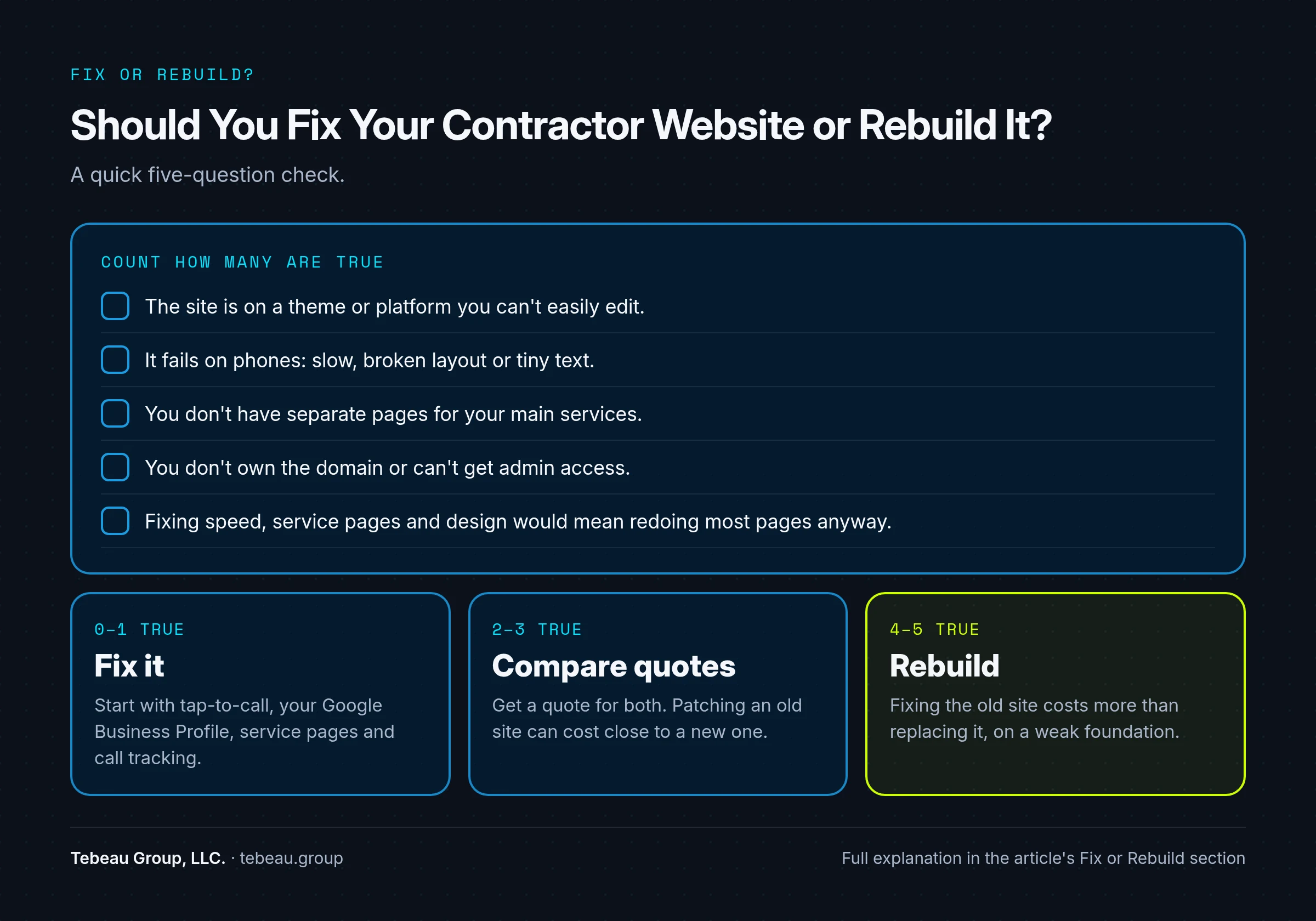
0–1 true: Fix it. Start with tap-to-call, the Google Business Profile, service pages and call tracking.
2–3 true: Get a quote for both and compare. Patching an old site can cost close to a new one.
4–5 true: Rebuild. You'll spend more fixing the old site than replacing it, and you'll still have a weak foundation.
If you're leaning toward a rebuild, see how we approach website design for contractors.
Does Rebuilding a Contractor Website Bring More Calls? A DFW Case Study
It can. After its rebuild, DFW HVAC company 1st Class Heat & Air reported a 300% increase in leads, according to its published case study.
1st Class Heat & Air is a Dallas–Fort Worth HVAC company. When they came to us, their existing site was slow, not mobile-responsive and didn't turn visitors into leads, and they ranked on page 3+ for critical HVAC keywords.
We rebuilt the site mobile-first with conversion-focused landing pages, online scheduling and trust signals, then ran technical and local SEO (including Google Business Profile optimization), targeted Google Ads and a brand refresh.
The results, as published on the case study:
- 300% increase in leads: monthly lead volume tripled within the first six months.
- Page 1 rankings for 15+ high-value HVAC keywords in DFW.
- 45% lower cost per lead from optimized PPC campaigns.
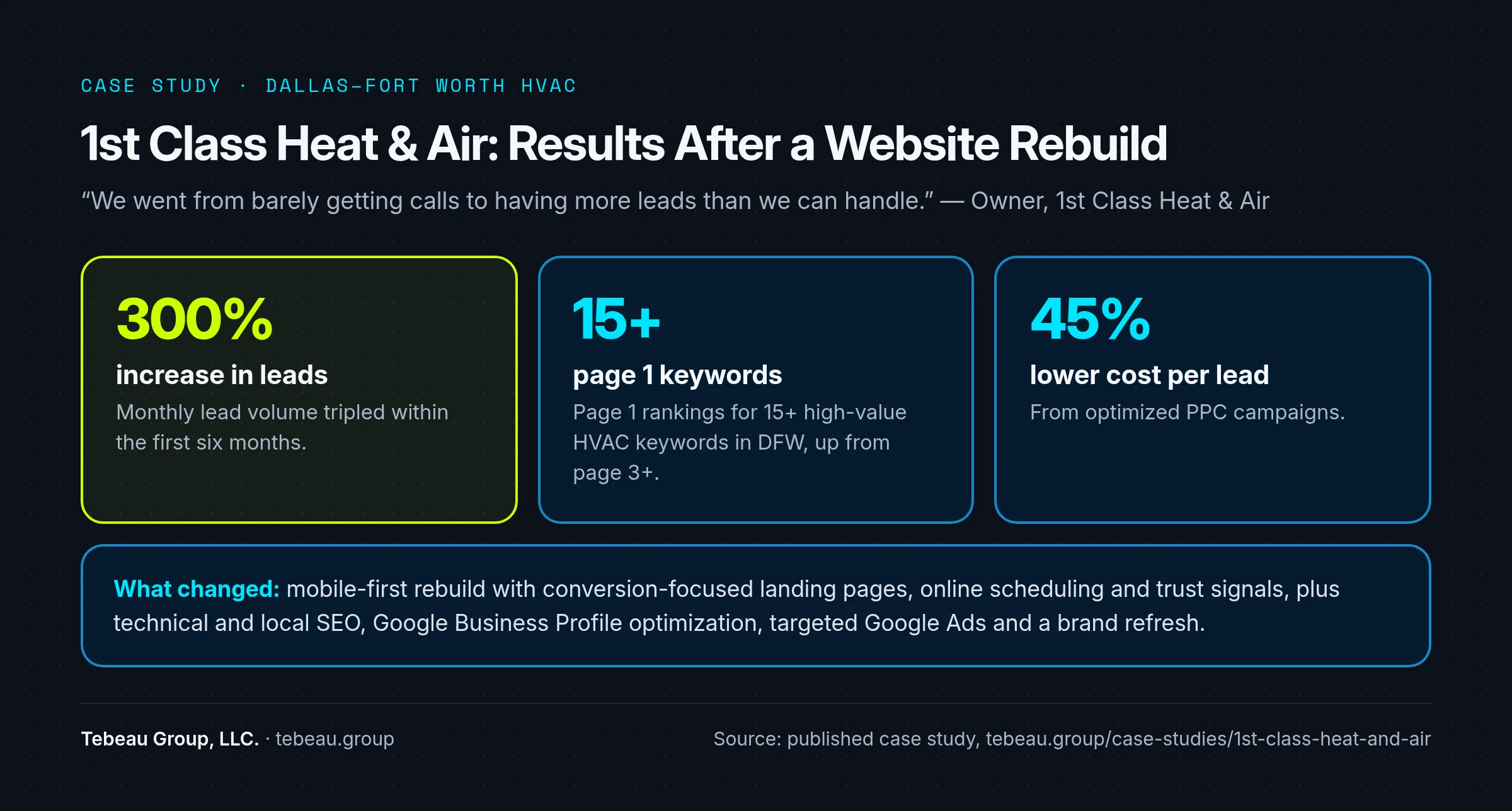
In the owner's words: "We went from barely getting calls to having more leads than we can handle." Read the full 1st Class Heat & Air case study.
Frequently Asked Questions
Why is my contractor website not getting calls?
The most common causes are a phone number that isn't tap-to-call, a slow mobile site, no dedicated service pages, a weak Google Business Profile, and missing trust signals like reviews and real photos.
Why is my HVAC website not generating leads?
The same nine causes apply. HVAC searches are urgent and local, so map-pack visibility, mobile speed and a visible call button matter even more.
Should I fix my website or rebuild it?
If the site works on phones, you own it, and the fixes are limited to a few pages, fix it. If it fails on mobile, lacks service pages and is hard to edit, a rebuild is usually cheaper long-term.
How long until changes bring in more calls?
Fixes like tap-to-call and a clearer call to action can help right away. SEO and map-pack improvements usually take longer to show up in rankings.
How do I know which calls come from my website?
Use call tracking numbers on your site and Google Business Profile so you can see which pages and listings produce calls.
Find Out Why Your Phone Isn't Ringing
We'll check your site, your Google Business Profile and your top local competitors, and tell you exactly what's costing you calls. Call Tebeau Group, LLC. at (469) 955-0269 or get a free audit. We work with home-services companies across Dallas–Fort Worth from our office at 825 Watters Creek Blvd, Bldg M, Suite 250, Allen, TX 75013.